Lift a Cube Wiki
Build your Strength through push-ups, then put it to the test against heavier cubes. Upgrade your arms and roll materials as you work toward the end of the map.
Game Updates
Lift a Cube on PC
Use the LIFT prompt, rapid left-clicks, and the bar feedback to complete a cube pickup and confirm its Cash reward.
The LIFT prompt does not appear
You are outside the cube's interaction range.
Walk directly toward the cube until the LIFT prompt appears.
The bar stops moving
The minigame needs continuous rapid left-click input.
Keep rapidly tapping the left mouse button until the icon reaches the right edge.
The cube wobbles but does not lift
Your Strength is still short of a comfortable attempt.
Return to training, gain more Strength, then try the same cube again.
You are unsure whether the lift counted
A completed lift has two visible result cues.
Look for the cube overhead and a Cash amount added to your balance.
Explore the Lift a Cube Wiki
Browse focused guides for training, cube lifting, arm upgrades, materials, progression, and rewards.
What Is Lift a Cube?
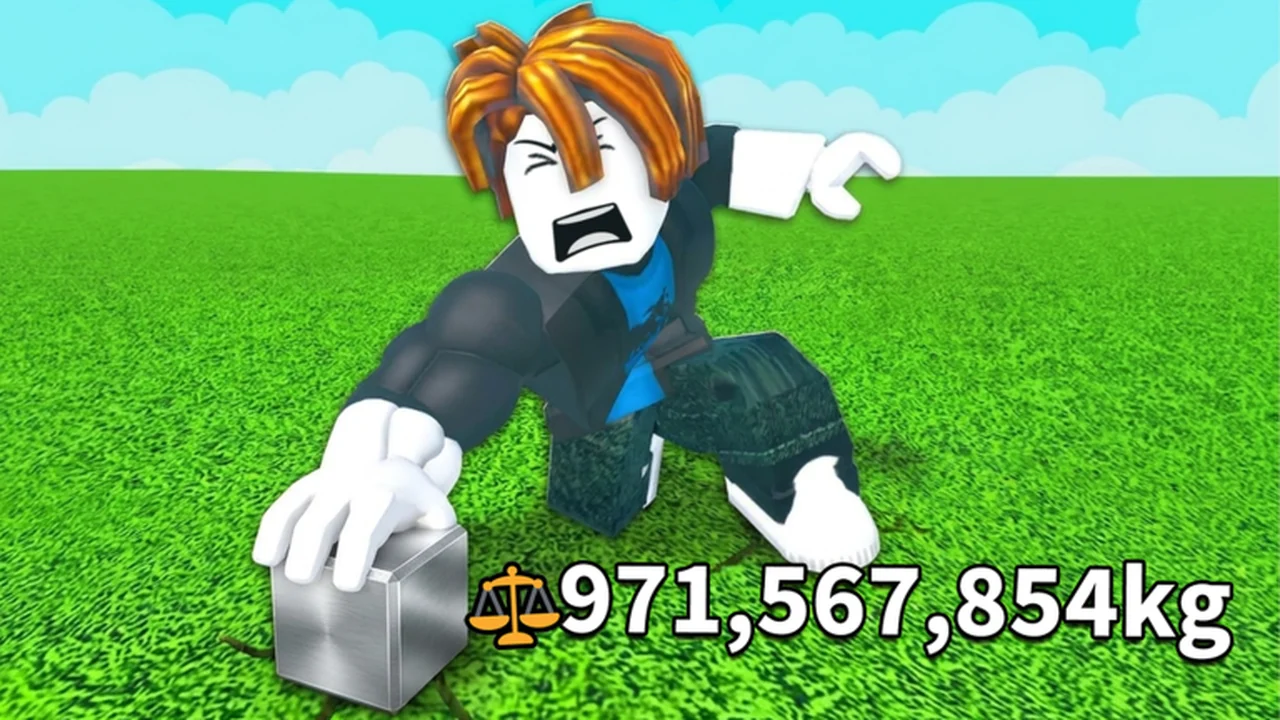
Lift a Cube is an incremental simulator on Roblox. Training builds the Strength you need to take on increasingly heavy cubes.
Arm upgrades shorten your push-up time, while chest rolls can provide materials with Strength multipliers. Progress means improving your training and tackling the challenges farther along the map.
Explore All GuidesDeveloper
Freaky Strong!
Platform
Roblox
Genre
Incremental Simulator
Experience Created
Aug 24, 2026
Core Stat
Strength
Training Method
Push-Ups
Main Goal
Reach the Map's End
Max Players
10
Latest Updates
Your First Lift Loop
Train Strength, lift a nearby cube for Cash, then put that Cash into a faster arm or an equipped material.
Train at the push-up spot near spawn
Build enough Strength to make the starter lift comfortable.
Approach a nearby cube and finish the lift bar
Raise the cube overhead and collect the Cash popup.
Buy an affordable arm upgrade
Shorten push-up time and complete more repetitions.
Roll and equip one arm material
Add its Strength multiplier, then return to training.
Strength Training Basics
Start automatic push-ups and separate repetition speed from the Strength earned by each repetition.
Walk onto the training pad near spawn
Press the Train input, listed as number key 1
Push-ups repeat automatically once training starts.
Watch the Strength counter and per-rep gain
Use the visible readout to judge your current setup.
Improve the correct layer
Arms shorten push-up time; materials increase Strength earned per repetition.
Roll an Arm Material
Unlock the Arm Materials Chest, check its Cash cost, complete one roll, and read the result's rarity and Strength multiplier.
Reach the displayed 20 Strength unlock
Train and lift nearby cubes before approaching the ordinary chest.
Read the Cash cost on your chest
Costs rise at later stations, so use the live label.
Use the Roll for arm material prompt
The roll resolves one random material with a rarity and multiplier.
Apply the strongest useful result
A material multiplier stacks with your equipped arms rather than replacing them.
Earn and Spend Cash
Successful cube lifts produce Cash; Strength unlocks the lift, while Cash funds arms, training-speed purchases, and material rolls.
- 1
Build Strength
Reach a cube you can lift reliably.
- Train with push-ups
- Compare your Strength with the cube's recommendation
- 2
Complete the lift
Raise the cube overhead and receive its Cash popup.
- Finish the rapid left-click bar
- Confirm the balance increase
- 3
Reinvest Cash
Improve the next train-and-lift cycle.
- Buy arm or training-speed upgrades
- Fund arm-material rolls after guaranteed upgrades
Buy Better Arms
Find a green Buy better arms pad, check its displayed Cash cost, purchase it, and confirm that your push-up time falls.
Find a green Buy better arms pad
The first pad is near spawn; later areas contain additional pads.
Check the price printed on the pad
The first observed pad costs $30; later prices differ.
Use the interact prompt to buy
The documented general interact key on PC is E.
Confirm the lower push-up time
The training timer should drop immediately after a successful purchase.
Navigate the Map
Follow the linear route outward from spawn and use the on-screen SPAWN button when you need to return to the starting platform.
- 1
Start at spawn
Train near the beginning of the linear route.
- Check the Wood and Stone cubes in the grass terrain
- 2
Advance through the route
Use each cube's recommendation to choose a reachable next target.
- Continue from grass into sand and ice terrain
- Check training, upgrade, and chest pads along the way
- 3
Return efficiently
Get back to the starting platform without retracing the whole route.
- Press the on-screen SPAWN button
Early Cube Readouts
Compare four observed early-route cubes by their captured weight and Recommended Strength readouts.
- Cube
- Wood Cube
- Observed weight
- 2.1kg
- Observed Recommended Strength
- 6
- Cube
- Stone Cube
- Observed weight
- 6.6kg
- Observed Recommended Strength
- 61
- Cube
- Cooper Cube
- Observed weight
- 21kg
- Observed Recommended Strength
- 206
- Cube
- Ice Cube
- Observed weight
- 66.2kg
- Observed Recommended Strength
- 582
| Cube | Observed weight | Observed Recommended Strength |
|---|---|---|
| Wood Cube | 2.1kg | 6 |
| Stone Cube | 6.6kg | 61 |
| Cooper Cube | 21kg | 206 |
| Ice Cube | 66.2kg | 582 |
Codes and rewards
Current code availability, rewards and source-check dates.
No codes are currently reported working.
Frequently Asked Questions
Quick answers for starting, training, lifting cubes, and choosing upgrades.
Ready to Lift a Heavier Cube?
Start with training, understand your upgrades, and plan your next challenge.